



 Github Stars:
 Last Commit:
  Created:
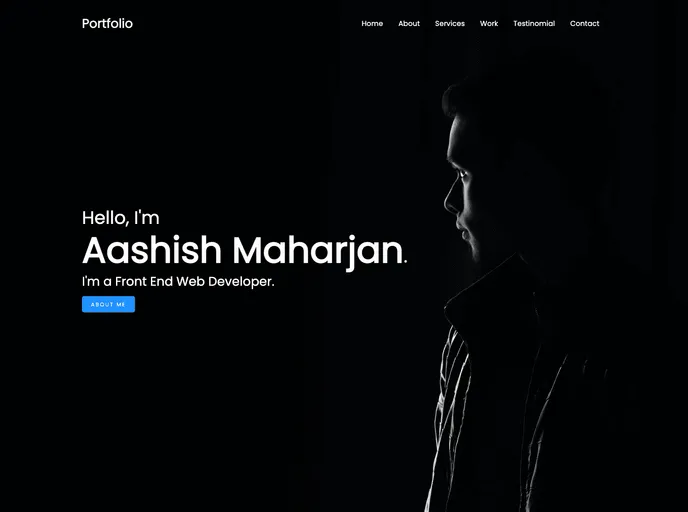
Overview
The Landing Html Portfolio Template is a straightforward and elegant solution for individuals looking to showcase their work without the complexity of frameworks. Crafted solely with HTML, CSS, and JavaScript, this template offers a clean and professional look, making it perfect for personal portfolios, artist showcases, or freelance projects. Its simplicity enables users to easily understand and modify the code, whether for beginner web developers or seasoned professionals.
This template is an excellent choice for anyone eager to present their skills and projects in an organized manner. With a focus on usability and design, it provides a platform that effectively highlights personal achievements and attracts potential clients or employers.
Features
Simple Design: The minimalist layout ensures that the focus remains on your work rather than unnecessary distractions.
Responsive Layout: Automatically adjusts to various screen sizes, guaranteeing a good user experience across mobile devices, tablets, and desktops.
Customizable Code: Built without frameworks, the clean HTML and CSS structure allows for easy modifications to suit personal branding and style.
Fast Loading Speed: As a lightweight template, it minimizes loading times, enhancing user engagement and satisfaction.
Cross-Browser Compatibility: Built to function seamlessly across all major web browsers, ensuring that your portfolio looks great no matter where it’s viewed.
Interactive Elements: JavaScript is used to add dynamic features, such as smooth scrolling and animations, improving overall user interaction.
Easy to Set Up: With straightforward instructions, even those new to web development can quickly get their portfolio up and running.








































