



 Github Stars:
 Last Commit:
  Created:
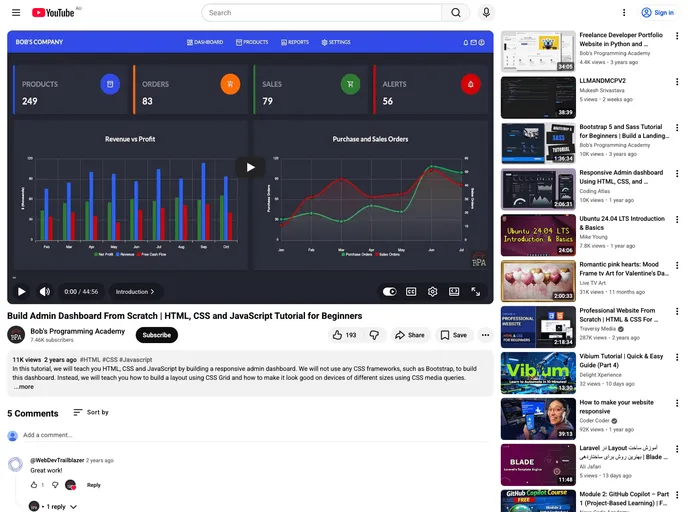
Overview
The Responsive Admin Dashboard is a web application built using HTML 5, CSS 3, and JavaScript. It offers a responsive design, making it accessible and usable on different devices and screen sizes. The dashboard includes various features to assist administrators in managing their projects or websites effectively.
Features
- Responsive Design: The admin dashboard adapts to different screen sizes, ensuring a seamless user experience across devices.
- Charts: The dashboard utilizes ApexCharts 3 for creating dynamic and visually appealing charts, enabling admins to analyze data easily.
- Easy Installation: The installation process is straightforward, requiring only a few prerequisites and steps.
Installation
To install the Responsive Admin Dashboard, follow these steps:
Install Visual Studio Code with the Live Server extension. This extension allows you to launch a local development server with live reloading capabilities.
Start the Live Server by clicking on the “Go Live” option in the bottom right corner of the status bar in Visual Studio Code. This action will load the admin dashboard in your default web browser.
Once the Live Server is running, access the dashboard by visiting http://127.0.0.1:5500/index.html in your web browser.
Summary
The Responsive Admin Dashboard is a user-friendly web application that provides administrators with the necessary tools to manage their projects effectively. With its responsive design and intuitive features, it offers a seamless experience across devices. The installation process is straightforward, making it accessible to users with different technical backgrounds.







































