



 Github Stars:
 Last Commit:
  Created:

Overview
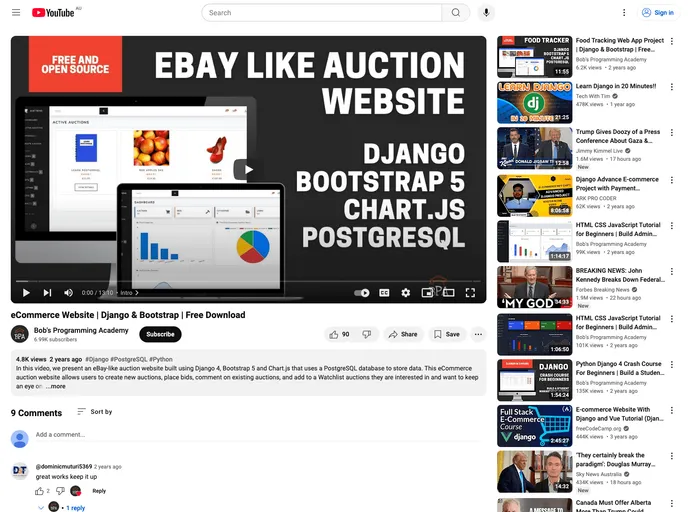
The Auction Website is an e-commerce auction website built using Django 4, HTML 5, CSS 3, and Bootstrap 5 with a Bootswatch theme. It utilizes a PostgreSQL database to store data and includes features such as charts built with Chart.js 2.
Features
- eBay-like e-commerce auction platform
- Built with Django 4, HTML 5, CSS 3, and Bootstrap 5
- Utilizes a PostgreSQL database for data storage
- Includes charts created with Chart.js 2
Installation
Prerequisites
- Python 3.8-3.11
- Django v4.2.4
- PostgreSQL
- Visual Studio Code
Installation Steps
Create a virtual environment by running the following command from the root directory:
python -m venv myenvActivate the virtual environment:
- On macOS:
source myenv/bin/activate - On Windows:
myenv\Scripts\activate
- On macOS:
Install required dependencies by running the following command from the root directory:
pip install -r requirements.txtSet up a PostgreSQL database:
Start psql terminal by running the command:
psqlCreate a new PostgreSQL database:
CREATE DATABASE mydatabase;Create a new database admin user:
CREATE USER myuser WITH PASSWORD 'mypassword';
GRANT ALL PRIVILEGES ON DATABASE mydatabase TO myuser;
Quit psql:
\q
Set up environment variables by running the following command from the root directory:
touch .envFor Windows users: Manually create the .env file in Visual Studio Code by navigating to the Explorer and selecting the option “New File”.
Declare environment variables in the .env file without using quotation marks.
Run migrations by running the following command from the root directory:
python manage.py migrateCreate an admin user to access the Django Admin interface by running the following command from the root directory:
python manage.py createsuperuser- Enter a username, email, and password when prompted.
Summary
The Auction Website is an e-commerce auction platform built using Django and other front-end technologies. It offers features similar to eBay and includes a PostgreSQL database for data storage. Installation instructions are provided to set up the necessary prerequisites and configure the environment. Once installed, users can run the application, run tests, and add data through the Django Admin interface. The code is released under the MIT license.







































