



 Github Stars:
 Last Commit:
  Created: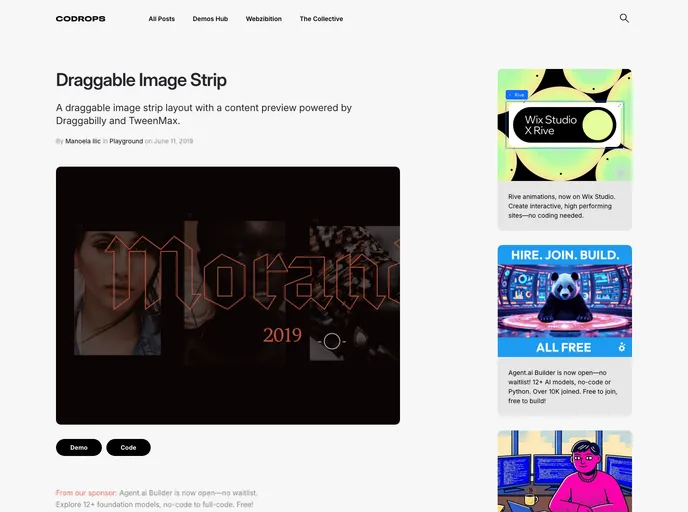
Overview
Codrops offers a Draggable Image Strip, a layout that consists of a draggable image strip with a content preview feature. Powered by Draggabilly and TweenMax, this resource allows users to create a visually appealing and interactive image strip.
Features
- Interactive Image Strip: Users can drag and navigate through the image strip, providing an engaging and dynamic user experience.
- Content Preview: The layout includes a content preview feature that allows users to get a glimpse of the content associated with each image in the strip.
- Powered by Draggabilly and TweenMax: The image strip is created using the Draggabilly library for draggable functionality and the TweenMax library for smooth animations.
Installation
To install the Draggable Image Strip, follow these steps:
- Download and include the necessary libraries: Draggabilly, TweenMax, and imagesLoaded.
- Ensure that you have the required fonts installed: FF More Pro and Fleisch Wolf.
- Copy the HTML markup and CSS styling provided in the demo.
- Customize and add your own images to the image strip as needed.
- Implement any additional functionality or design modifications based on your project requirements.
Summary
The Draggable Image Strip offered by Codrops is an interactive and visually appealing layout. With features such as draggable navigation and content preview, it enhances the user experience by creating an engaging and interactive environment. By leveraging libraries like Draggabilly and TweenMax, users can easily implement this image strip into their websites, web apps, and web templates.








































