



 Github Stars:
 Last Commit:
  Created:
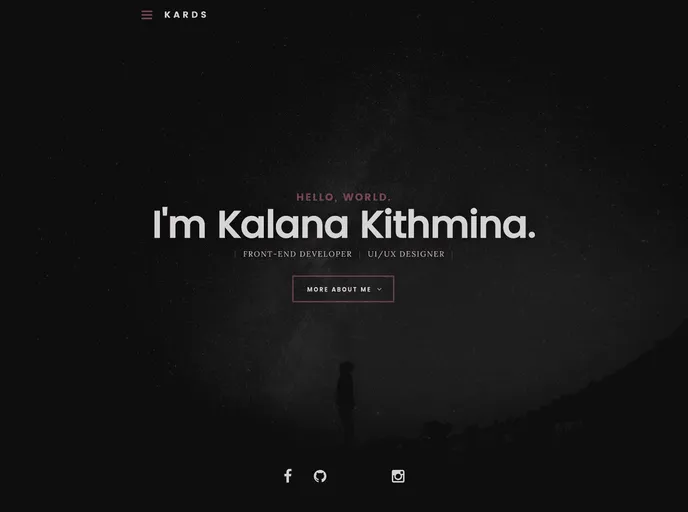
Overview:
Kalanakt.github.io is a simple personal web-site that allows individuals to create their own personal websites easily and efficiently. With a user-friendly interface and customizable features, this platform ensures that users can showcase their work, share their thoughts, and connect with others in a simple and intuitive way.
Features:
- User-friendly interface: The platform offers a clean and intuitive interface, making it easy for users to navigate and customize their personal websites.
- Customization options: Users have the freedom to personalize their websites by choosing from a range of templates, layouts, and color schemes.
- Content creation tools: The platform provides content creation tools, such as text editors and media upload options, enabling users to easily create and manage their website content.
Installation:
To install the theme and use Kalanakt.github.io, follow these steps:
- Download the theme from the official website or GitHub repository.
- Extract the downloaded zip file to the desired location on your computer.
- Open the extracted folder and locate the “index.html” file.
- Open the “index.html” file in a text editor of your choice.
- Customize the website content, layout, and design according to your preferences.
- Save the changes made to the “index.html” file.
- Open a web browser and navigate to the location of the saved “index.html” file to view your personal website.
Summary:
Kalanakt.github.io is a user-friendly platform that allows individuals to easily create and customize their personal websites. With its intuitive interface and range of customization options, users can showcase their work, express their thoughts, and connect with others in a simplified and efficient manner. By following the installation guide, users can quickly set up their personal websites and begin showcasing their content to the world.








































