



 Github Stars:
 Last Commit:
  Created:

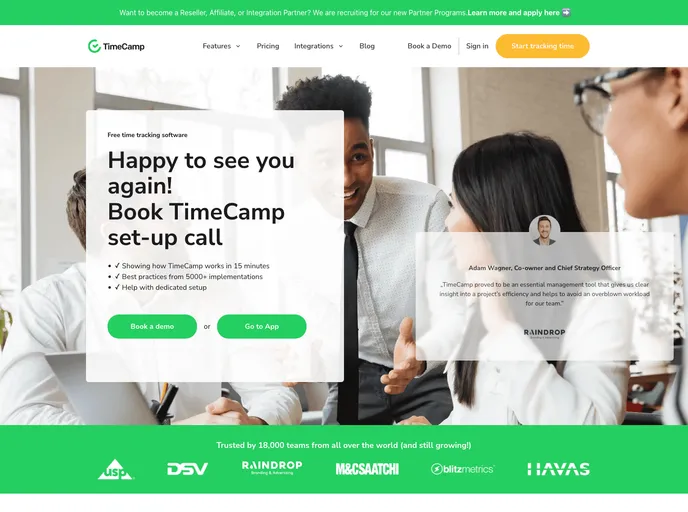
Overview
This project is a clone of the TimeCamp website, developed by a group of 5 members during their construct week in Masai School. TimeCamp is a web-based application launched in 2009 by Kamil Rudnicki, aimed at tracking the activity of computer users and assisting in time tracking, project management, and work effectiveness measurement. The clone website was completed within 4 days.
Features
- Homepage/Landing Page: Well-designed and user-friendly landing page to provide an appealing initial impression.
- User Authentication: Sign-up and log-in options for users using Google and Facebook authentication, implemented using backend and MongoDB.
- User-friendly Navigation: A navigation bar that allows users to easily view and explore different sections of the website.
- Pricing Page: Presents different price ranges from free to enterprise, providing users with the necessary information to choose a suitable plan.
- Demo Page: Offers a brief demo to help users get acquainted with the website before starting to use it.
- Features Page: Provides an overview of all the features that the application offers.
- Integrations Page: Offers information about the various integrations available with the TimeCamp application.
- Timersheet: Well-designed timersheet with a timer function that starts once a user logs in, tracking the user’s computer usage and tasks.
Installation
To install the TimeCamp Clone project, follow these steps:
Clone the repository using the following command:
git clone <repository_url>Navigate to the project directory:
cd timecamp-cloneInstall the required dependencies using the command:
npm installStart the development server:
npm startOpen your browser and access the website at
http://localhost:3000.
Summary
The TimeCamp Clone project is a replica of the TimeCamp website developed within a short time frame during Masai School’s construct week. It includes various features such as a user-friendly landing page, authentication using Google and Facebook, a well-designed navigation bar, pricing options, a demo page, feature overview, integration information, and a timersheet for tracking computer usage. The project was implemented using HTML5, CSS3, React.js, Chakra-UI, Node.js, Express, MongoDB, React-router-dom, Google Integration, Facebook Integration, and Redux.






































